Access Point: Facebook Business
Step 1
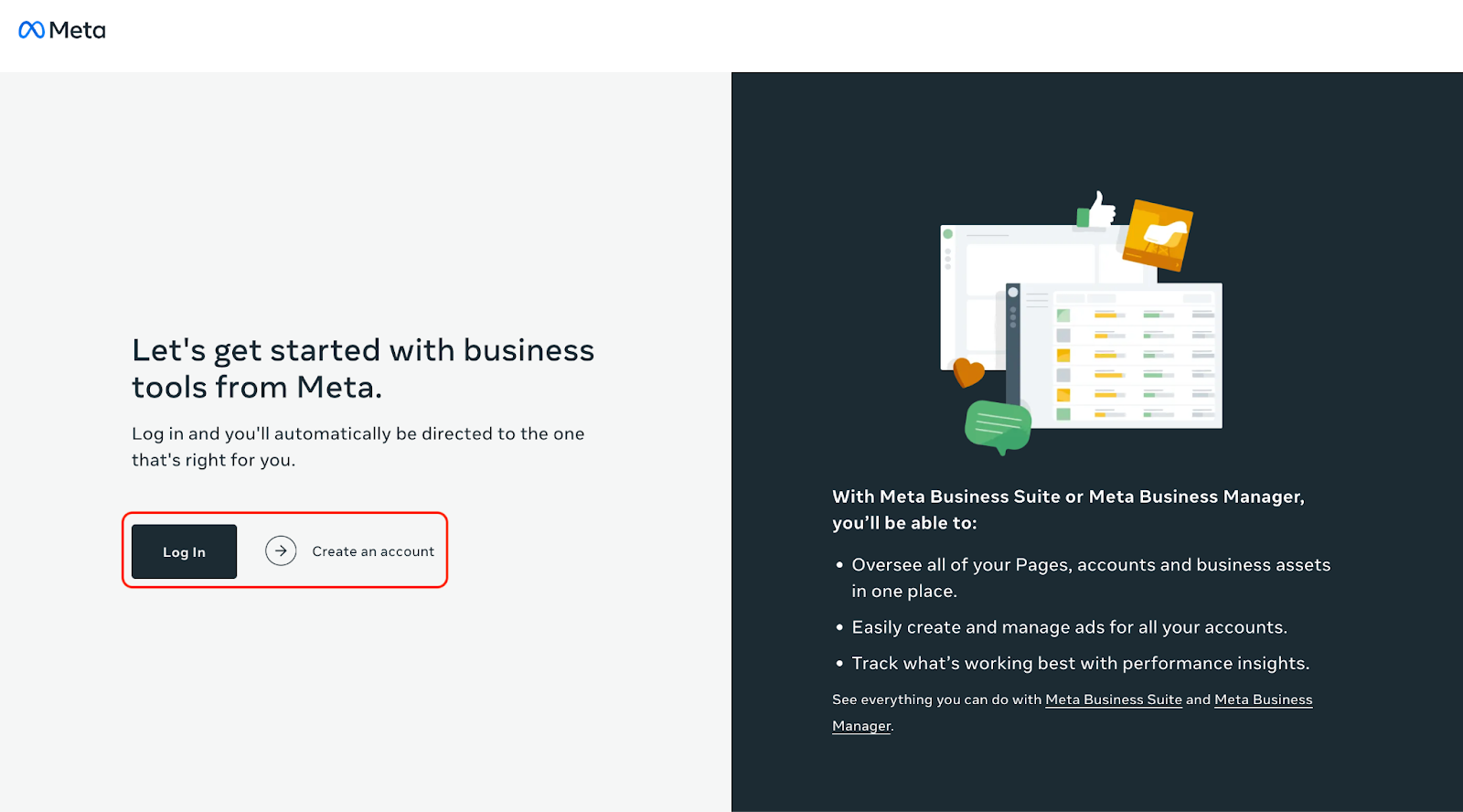
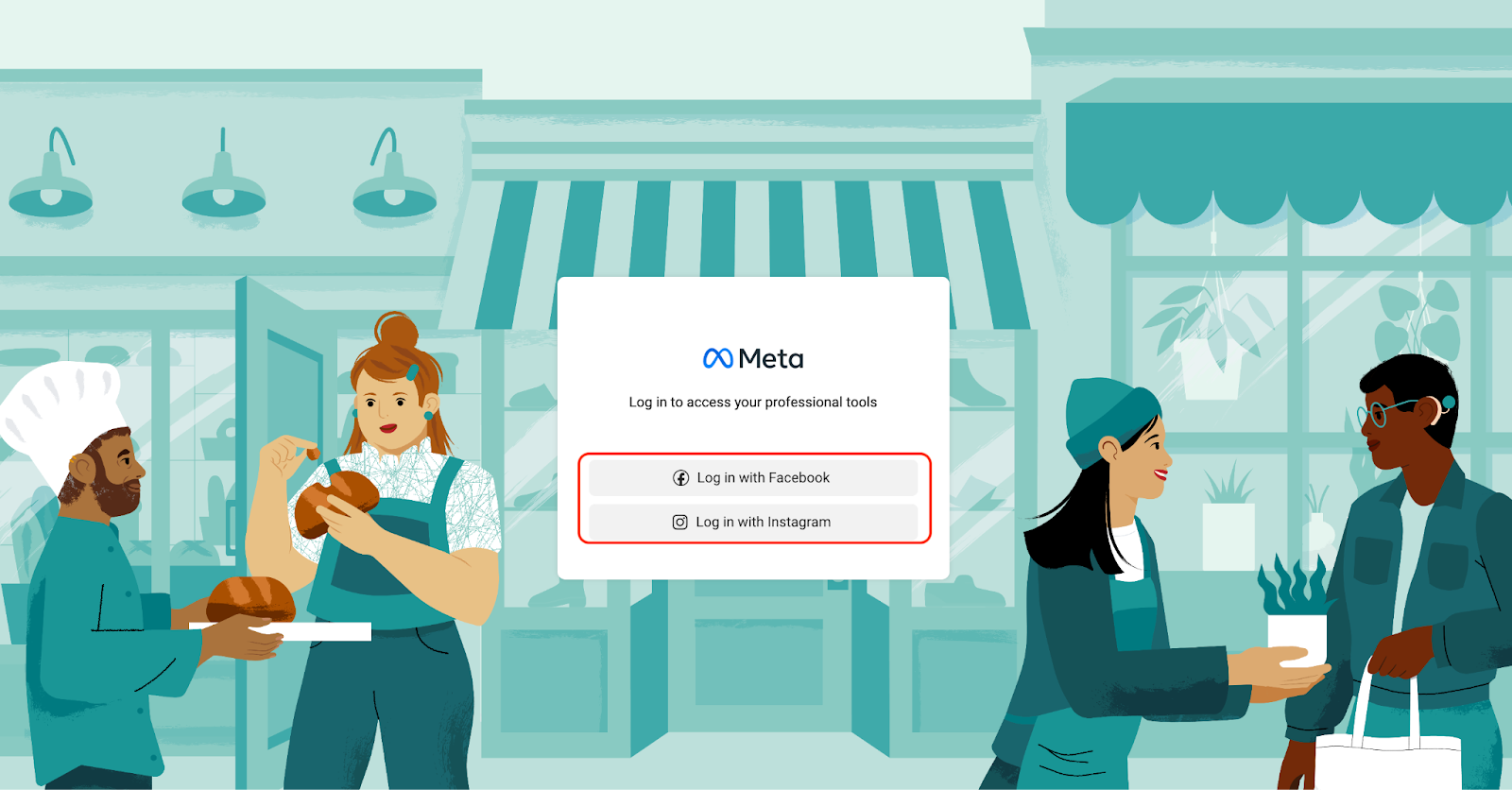
Ensure you’re logged in to Meta.
If you don’t already have an account at Facebook Business, please create one.
Step 2
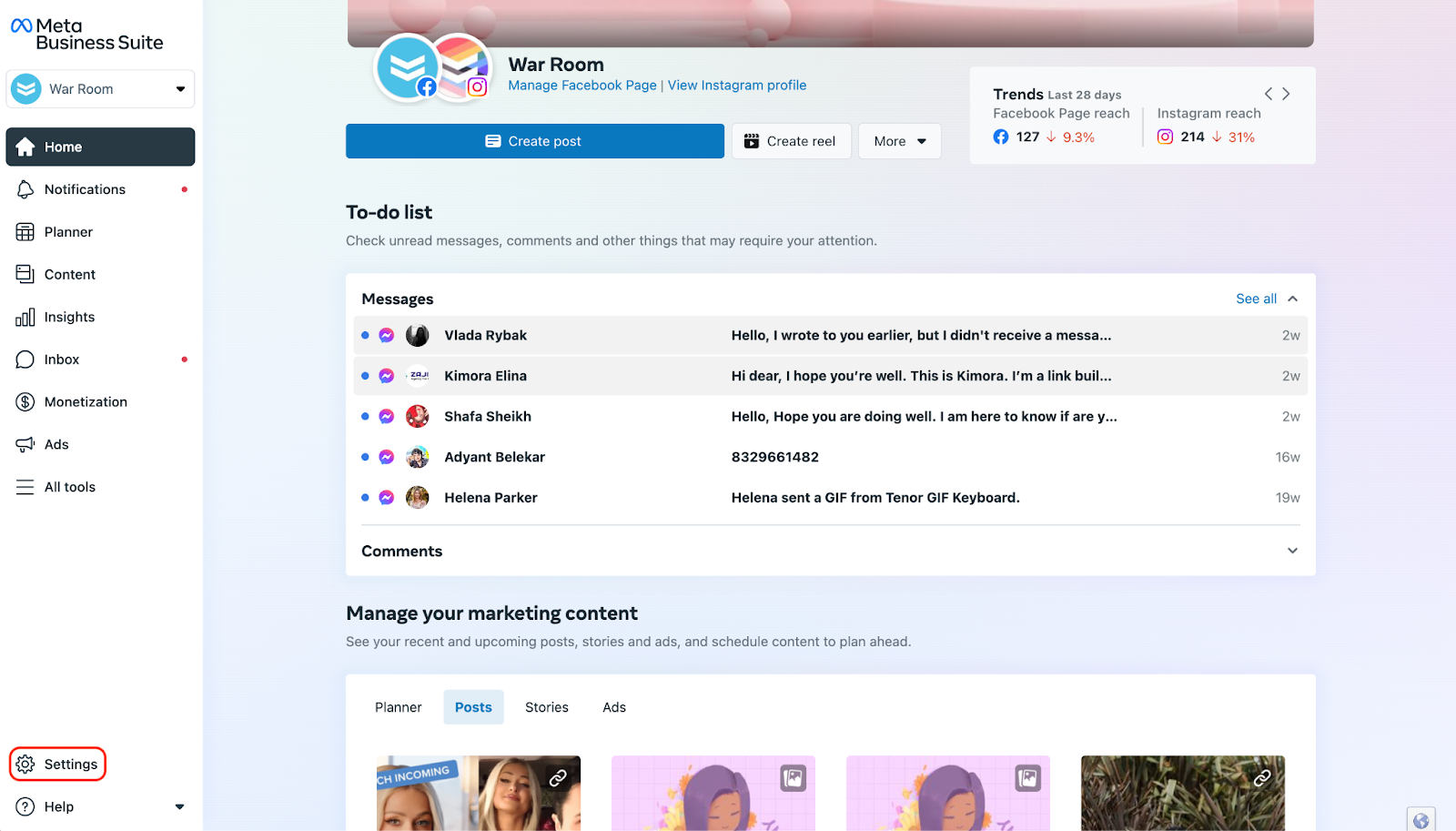
Select “Settings” in the bottom left corner.
Step 3
Select “Business Settings”, where you will find your Business ID. Please copy and email your business ID to analytics@warroominc.com.
Highlighted below is where you will see your Business ID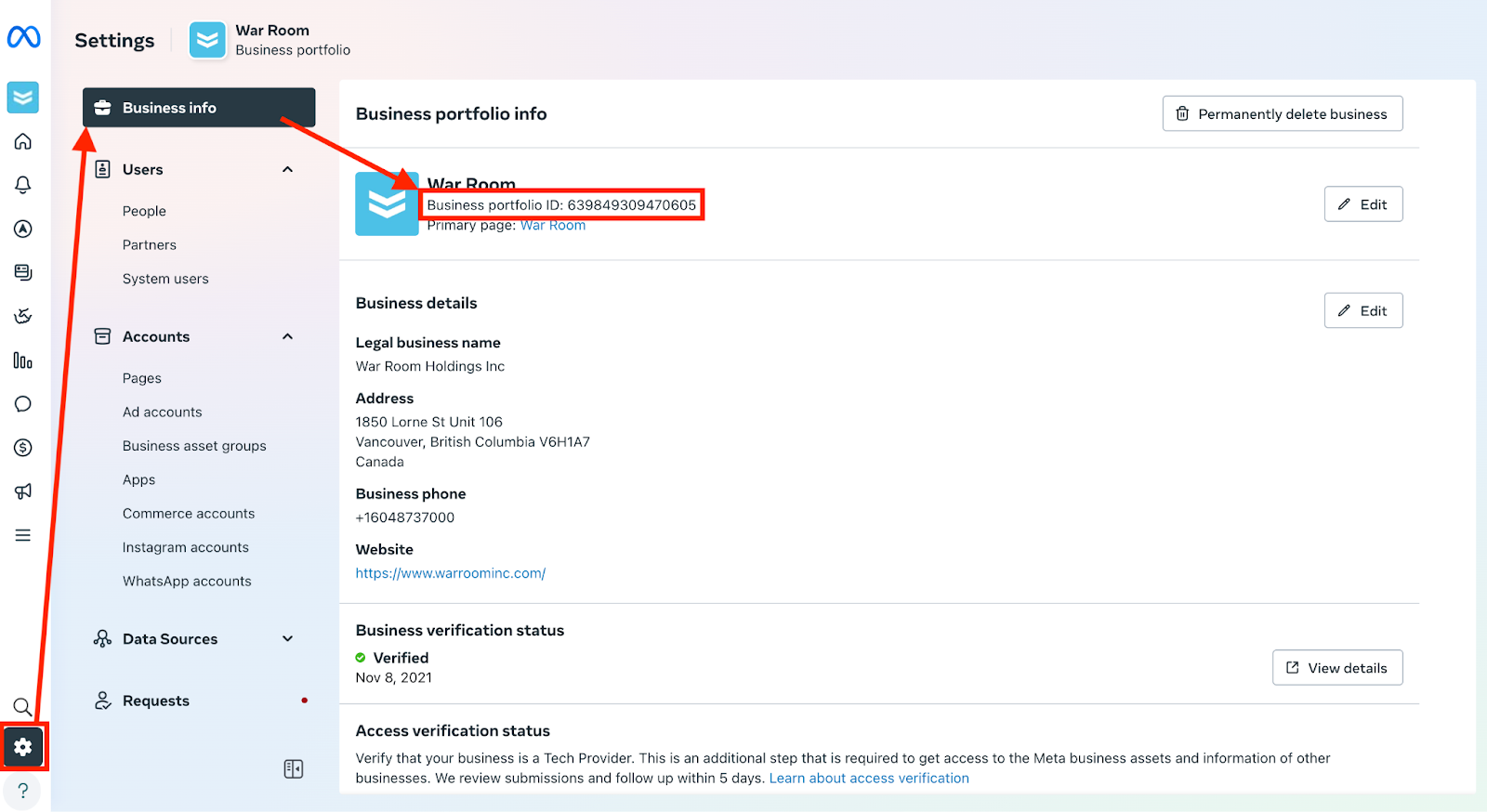
Step 4
Select “People” and then “+Invite People”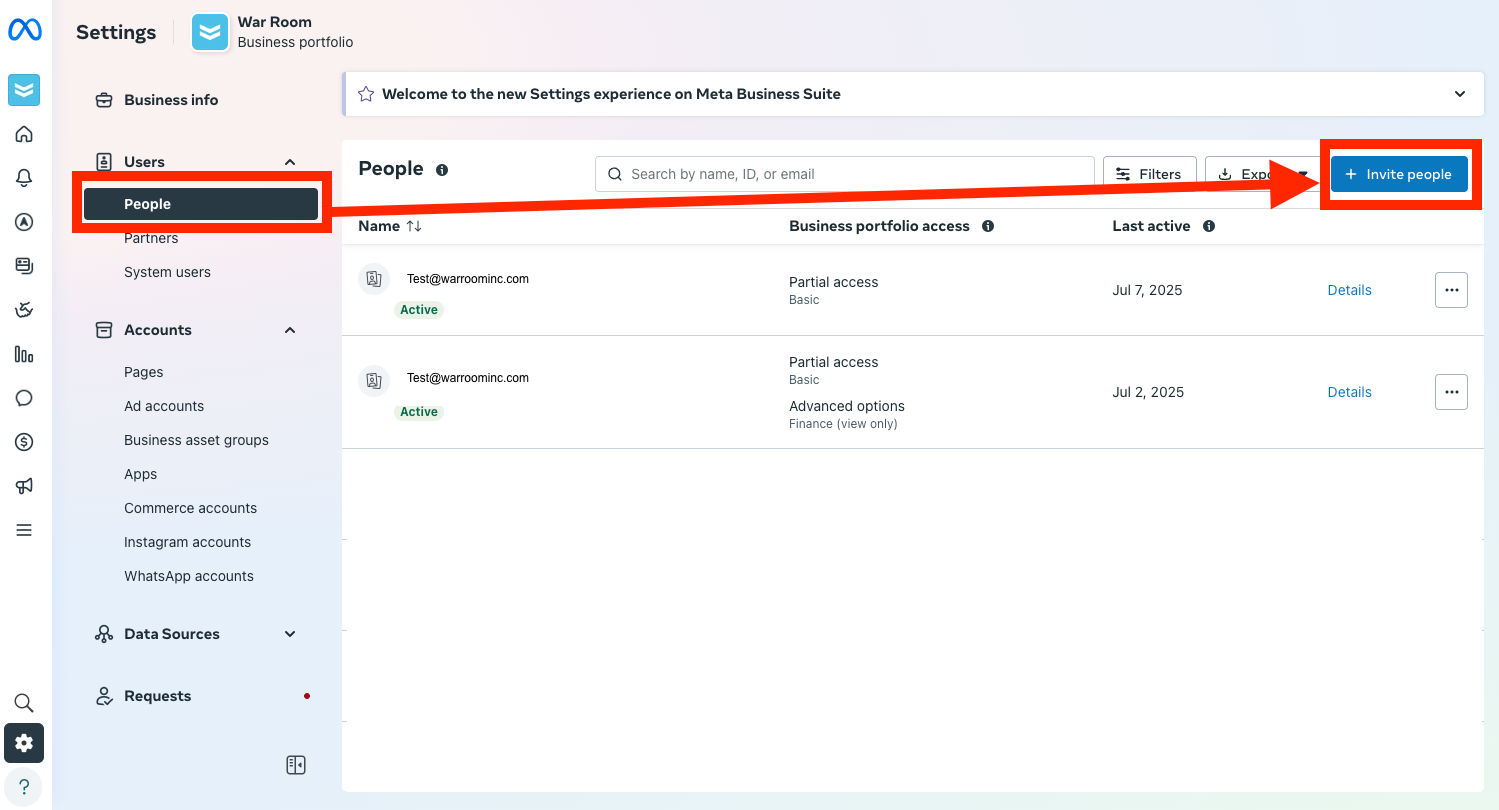
Step 5
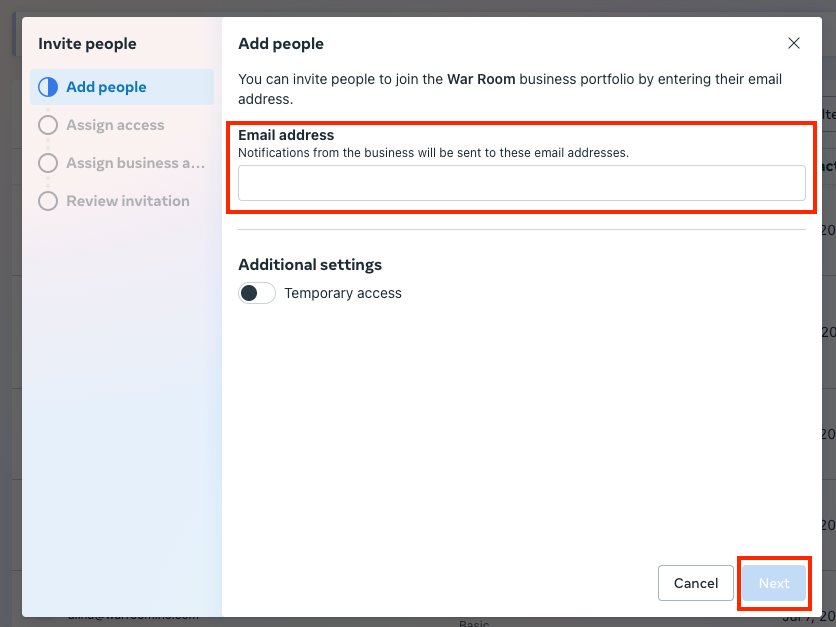
Add both <analytics@warroominc.com> and <facebook@warroominc.com> and choose next.
Step 6
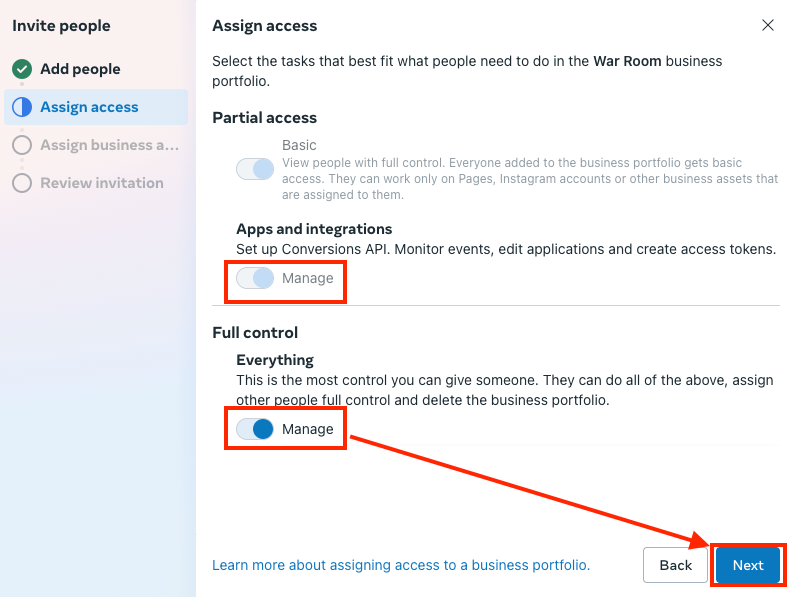
Choose Manage on all options and click next.
Step 7
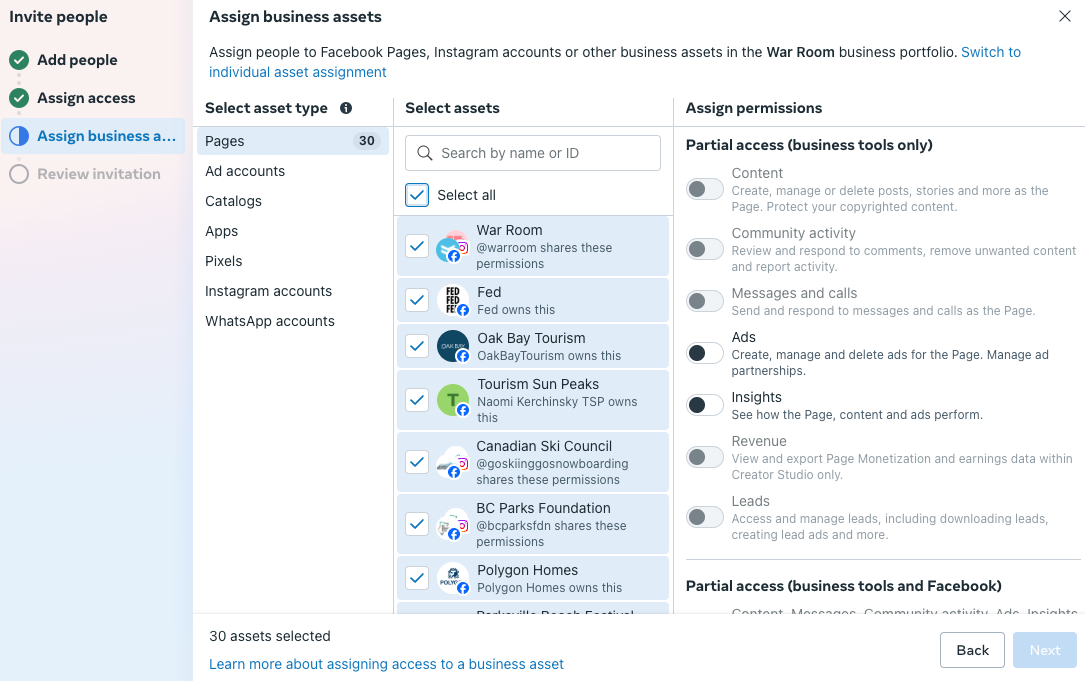
Assign all assets
Choose select all and Select Full control over all asset categories: Pages, Ad accounts, Catalogs, Apps, Pixels, Instagram accounts, WhatApp accounts.
Step 8
Review Everything and select “Send Invitation”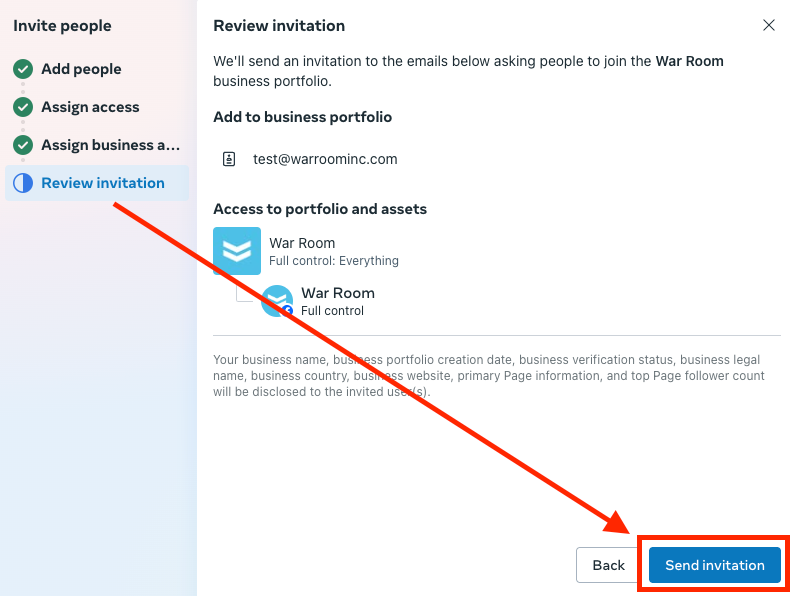
Step 9
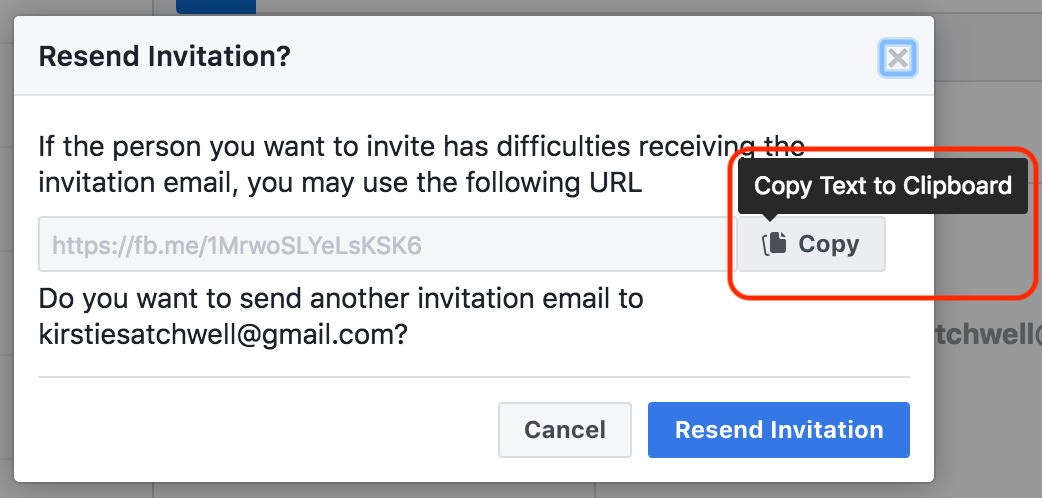
After you have sent the invites, they will now appear in your, “People” section. Click on the user you just added and in the top right you will see, “Resend” click this.


Step 8
In the pop-up from clicking “Resend” copy the link it shows and email this to analytics@warroominc.com and facebook@warroominc.com. Unfortunately, if you only click, “resend Invitation” without the email, we will not receive this message.
Step 9
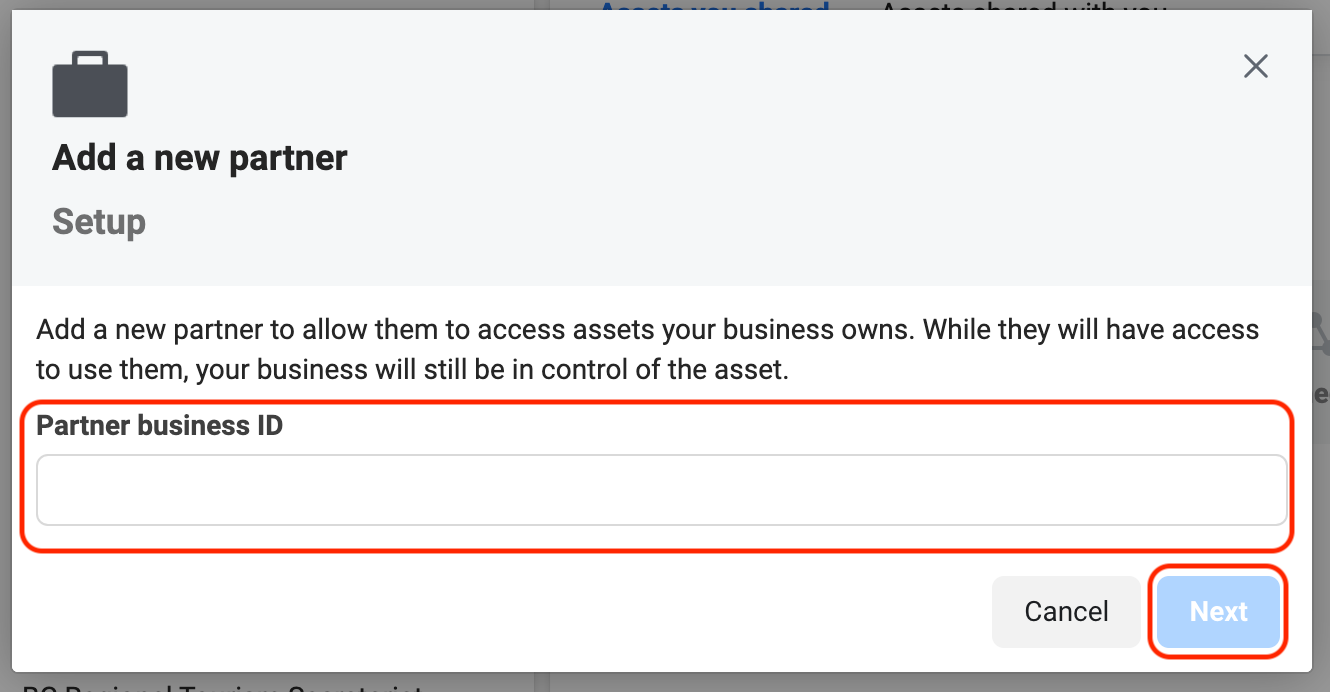
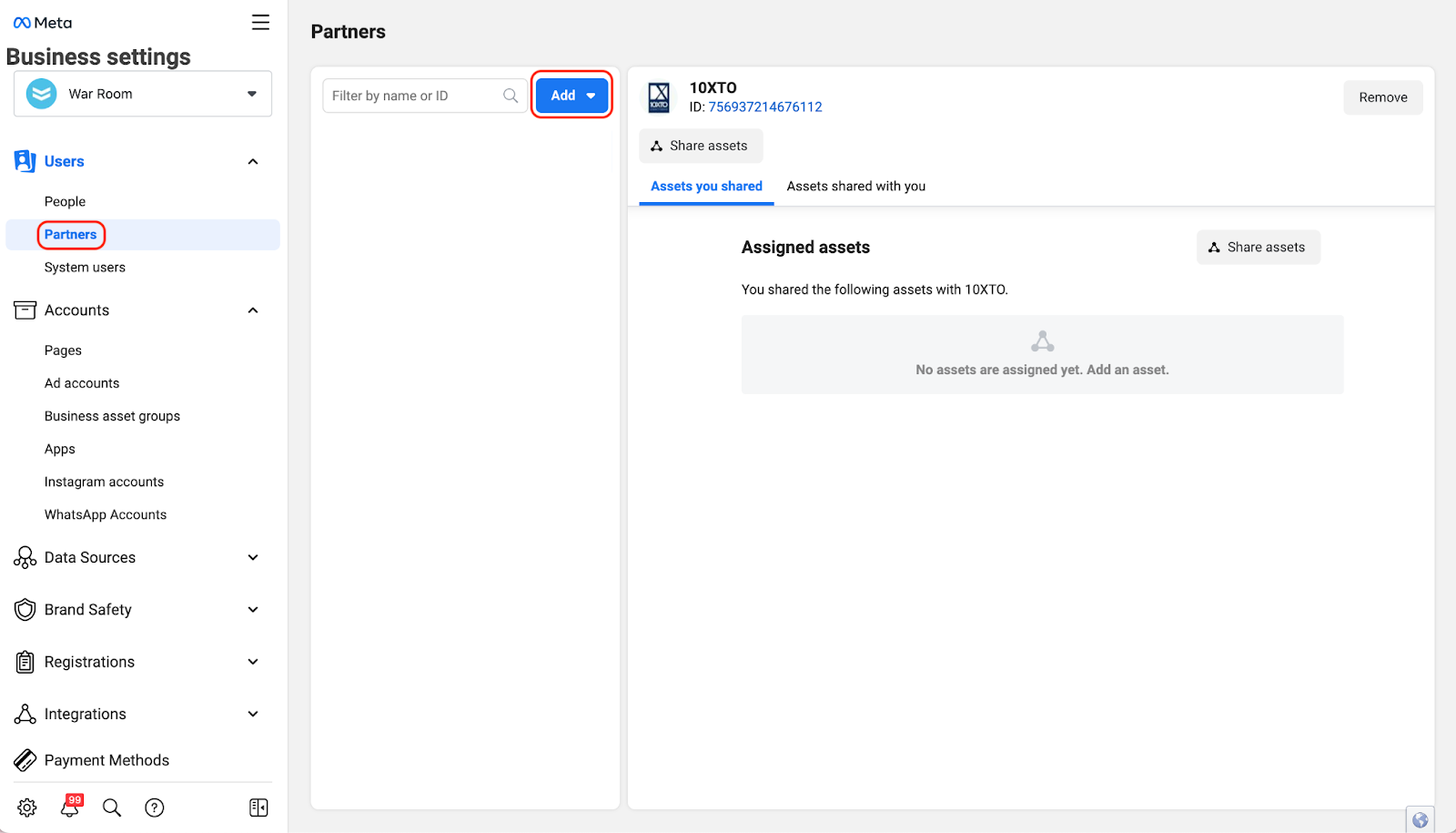
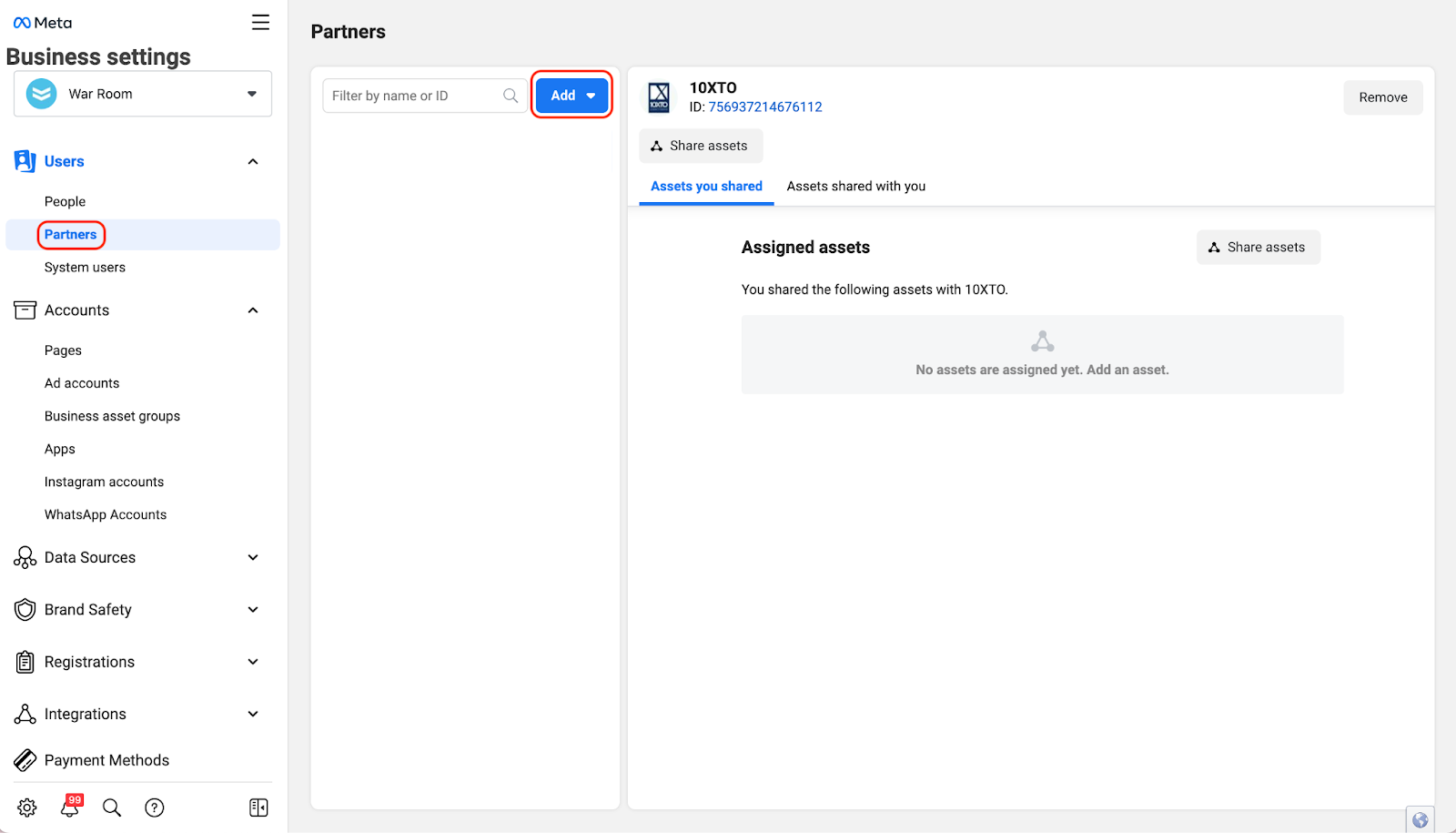
Select, “Partners” and, “Add”
Step 10
Enter the partner business ID 639849309470605 and then, “Next”.